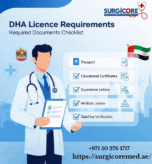
If you are a healthcare professional or a healthcare facility planning to work in the United Arab Emirates, you must use Sheryan, the official licensing and regulation platform of the Dubai Health Authority. Sheryan makes it easier to apply for exams, submit documents, renew licenses, and track application progress.
The good news? Registering on Sheryan is simple. Here’s a clear, step-by-step guide to help you get started.
What Is the DHA Sheryan System?
Sheryan is an online portal created by the Dubai Health Authority to manage licensing for:
- Doctors
- Nurses
- Pharmacists
- Allied health professionals
- Health facilities
If you want to work in Dubai, you’ll need a Sheryan account before applying for any healthcare license.
Step-by-Step Guide to Register on DHA Sheryan
Step 1: Visit the Sheryan Portal
Open your browser and go to the official DHA Sheryan login/registration page.
(Just search “DHA Sheryan” on Google it’s the first result.)
Step 2: Click on “Register New Account”
On the login page, look for the “Sign Up” or “Register” button.
This will open a form where you will enter your personal details.
Step 3: Enter Your Personal Information
You’ll be asked to fill in:
- Full name (exactly as in your passport)
- Email address
- Mobile number (UAE or international is okay)
- Password
Make sure your email is correct. DHA will send all updates to this email.
Step 4: Verify Your Email
After submitting your details, Sheryan will send a verification link to your email.
Open your inbox → click the link → your account will be activated.
Step 5: Log In to Your New Sheryan Account
Once verified, go back to the login page and enter:
- Your email
- Your password
You now have full access to the Sheryan dashboard.
Step 6: Start Your Licensing Process
After logging in, you can choose the service you need, such as:
- New Professional License
- Professional Qualification Assessment (PQR)
- Exam booking
- License renewal
- Facility licensing
Follow the on-screen instructions, upload documents, and pay fees as required.
Helpful Tips for Smooth Registration
- Use the same name format as on your passport.
- Keep all documents scanned and ready (passport, photo, certificates).
- Use a valid email you check often DHA uses this for all communication.
- If your page doesn’t load, try switching the browser or clearing cookies.
Is registering on DHA Sheryan free?
Yes, creating an account and doing the initial registration on the DHA Sheryan portal is free, meaning you can sign up, log in, and even use the self-assessment tool without paying anything.
However, once you move beyond just registering and start the licensing process, you usually have to pay fees. For example, if you decide to submit a full professional application, upload documents for verification, or apply for a DHA licence officially, the system will ask you to pay a registration/application fee as part of the process.
I didn’t receive the verification email. What should I do?
If you didn’t receive the DHA Sheryan verification email, first check your spam or junk folder and make sure your email was entered correctly. Wait a few minutes, then try clicking “Resend verification email”. You can also add DHA’s email to your contacts to avoid it being blocked. If it still doesn’t arrive, contact DHA Help Center at 800 342 or use the Sheryan support email so they can verify your account manually.
How can I reset my password if I forget it?
If you forget your DHA Sheryan password, go to the login page and click “Forgot Password.” Enter your registered email, and DHA will send a link to reset your password. Follow the link, create a new password, and then log in. If you don’t receive the email, check your spam folder or contact DHA Help Center at 800 342 for help.
Conclusion
Registering on the DHA Sheryan platform is the first step toward working in the healthcare sector in Dubai. The process is straightforward, and once your account is created, you can easily manage all your licensing needs online. Contact Us
Faqs
1. What is Dha Sheryan?
Dha Sheryan is a Saudi healthcare provider offering medical services through modern facilities and a patient-focused approach.
2. What services does Dha Sheryan provide?
They offer a range of healthcare services including consultations, diagnostics, specialized treatments, and preventive care.
3. Where is Dha Sheryan located?
Dha Sheryan operates within Saudi Arabia. Specific branch locations may vary depending on the service.
4. How can I book an appointment?
Appointments can typically be booked through their official website, mobile app, or by contacting the nearest branch directly.
5. Does Dha Sheryan accept insurance?
Most major insurance providers are accepted. It’s best to confirm coverage with the clinic before your visit.
6. What makes Dha Sheryan different?
Dha Sheryan focuses on advanced medical technology, experienced healthcare professionals, and personalized patient care.